
 ASP.NET
java_Java图片上传实现代码,本文实例为大家分享了Java图片
import java.io.*; import java.net.*; /* *发送端 */ class picsend { public static void main(String[] args) throws Exception { if(args.length!=1) { System.out.println("请选择一张.jpg图片"); return; } File file = new File(args[0]); if (!(file.exists() && file.isFile())) { System.out.println("图片有问题(不是文件或不存在)"); return; } if(!file.getName().endsWith(".jpg")) { System.out.println("图片格式不对,请重新选择图片"); return; } if(file.length()>1024*1024*10) { System.out.println("图片过大,无法上传"); return; } Socket s = new Socket("192.168.33.1",10006);//建立服务 FileInputStream fis = new FileInputStream("d:\\美女.jpg");//读取图片 OutputStream out = s.getOutputStream();//读到的写入 byte [] b = new byte[1024]; int len = 0; while((len = fis.read(b))!= -1) { out.write(b,0,len); } s.shutdownOutput();//标记结束 InputStream in = s.getInputStream();//读服务端返回数据 byte [] bin = new byte[1024]; int num = in.read(bin); System.out.println(new String(bin,0,num)); fis.close(); s.close(); } } class picThread implements Runnable { private Socket s; picThread(Socket s) { this.s = s; } public void run() { int count = 1; String ip = s.getInetAddress().getHostAddress();//得到ip try { System.out.println(ip+".............connect"); InputStream in = s.getInputStream();//读到流中数据 File file = new File(ip+"("+(count)+")"+".jpg"); while(file.exists())//判断文件是否存在 file = new File(ip+"("+(count++)+")"+".jpg"); FileOutputStream fos = new FileOutputStream(file);//写入 byte [] b = new byte[1024]; int len = 0; while((len = in.read(b))!=-1) { fos.write(b,0,len); } OutputStream out = s.getOutputStream();//写入服务端传过来数据 out.write("上传成功!".getBytes()); fos.close(); s.close(); } catch (Exception e) { throw new RuntimeException("上传失败"); } } } /* *服务端 */ class picrece { public static void main(String[] args) throws Exception { ServerSocket ss = new ServerSocket(10006); while(true) { Socket s = ss.accept();//接收 new Thread(new picThread(s)).start(); } } }
相关热词: 实例
本站内容来源于网络,如有侵权请与我们联系,我们会及时删除,我们深感抱歉!
注:本站所有信息仅供用于网络技术学习参考,学习中请遵循相关法律法规!
本文地址: https://v30.fanwenzhu.com/jiaob/java/7029.shtml
相关文章
热门TAG
win10 ecshop 主机 阿里云 解决 配置 C# C++ 解析 SQL语句 命令 Go语言 方法 CSS3 HTML5 CSS win7 MSSQL 服务器配置 IIS7.5 IIS7 IIS6 IIS CentOS 7 Linux oracle数据库 oracle phpcms discuz discuz教程最新文章
-
 Fitness fitness){ /*double X1=m
时间:2021-01-21
-
 所以这里也是需要注意的
时间:2021-01-21
-
 hadoop上传文件成果实例代
时间:2021-01-15
-
 hadoop负责按key值将map的输
时间:2021-01-15
-
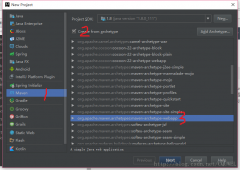 记得勾选springconfig.xml 因为
时间:2021-01-14
-
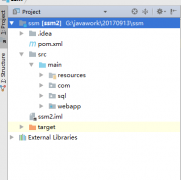 如果当前没有事务
时间:2021-01-14
-
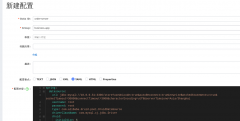 SpringCloud整合Nacos实现流程
时间:2021-01-07
-
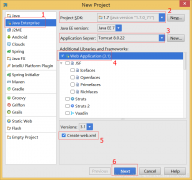 Intellijidea建javaWeb以及Ser
时间:2021-01-07
热门文章
-
 Java内部类的实现原理与可能的内存泄漏说
时间:2020-12-29
-
记得勾选springconfig.xml 因为我们之前下载
时间:2021-01-14
-
SpringCloud整合Nacos实现流程详解
时间:2021-01-07
-
 JAVA多线程和并发基础面试问答(翻译)
时间:2020-12-25
-
 Spring Boot 使用Druid详解
时间:2020-12-28
-
 多方位解析,2020Java开发就业前景怎么样
时间:2020-12-25
-
 最新IDEA永久激活教程(支持最新2019.2版本
时间:2020-12-25
-
Fitness fitness){ /*double X1=min+0.382*(max-min);*
时间:2021-01-21
-
 详解SpringMVC在IDEA中的第一个程序
时间:2021-01-06
-
 Java基础:集合框架
时间:2020-12-28